Change the Color Theme on Self Service and Password Portals

We are having difficulties to change the color scheme of our GroupID portals i.e. Self Service & Password Center portals. Currently, we are still changing the color scheme using the old fashion method since GroupID 6 & 7. It is quite difficult for the end-user to do such changing and find the color codes for each grid, banner, and box individually.
I am hoping that there should be a customized color scheme setting available on the portal page itself. Here is a screenshot about what it should be like.
1 - A button which can turn the portal immediately to the dark mode or a dark color scheme.
2 - Boxes of available color schemes, where the end-user can change the color scheme of his choice.
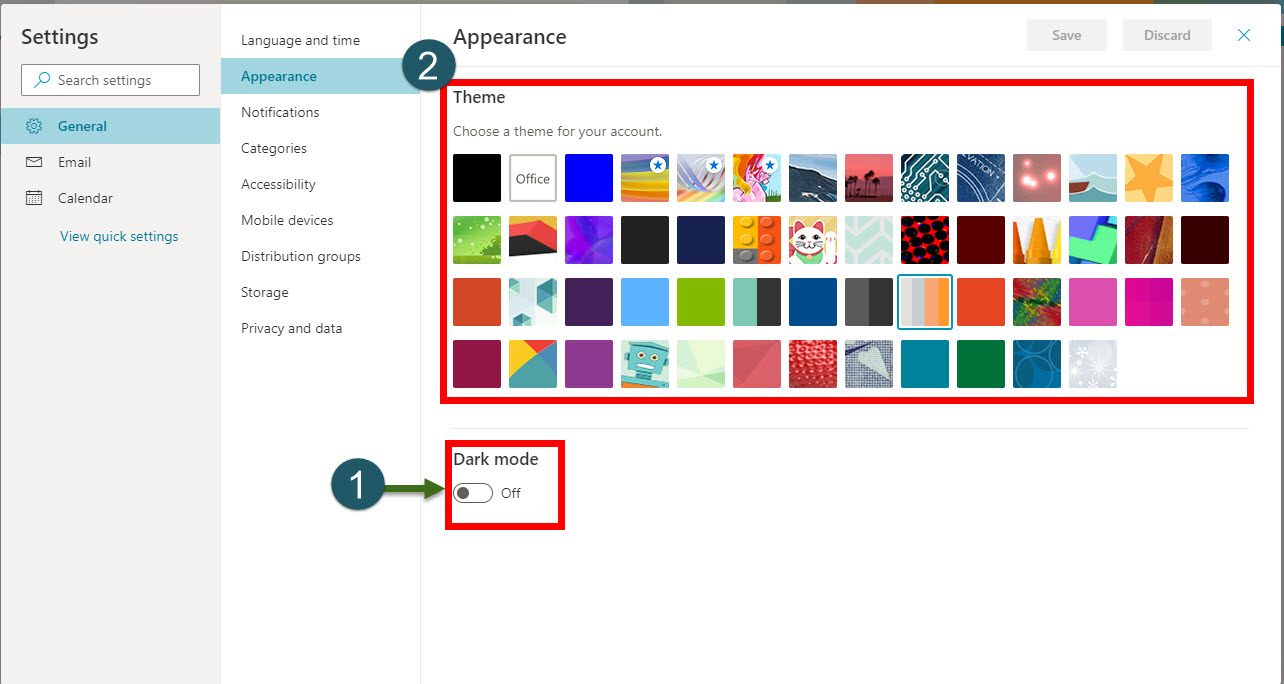
(The above screenshot is an example from Office 365 portal)
With this enhancement, an end-user can customize the portal the way he wants and can bring a really good impression on the quality of the product.
Thank You!
Please sign in to leave a comment.
Comments
0 comments